
TL;DR
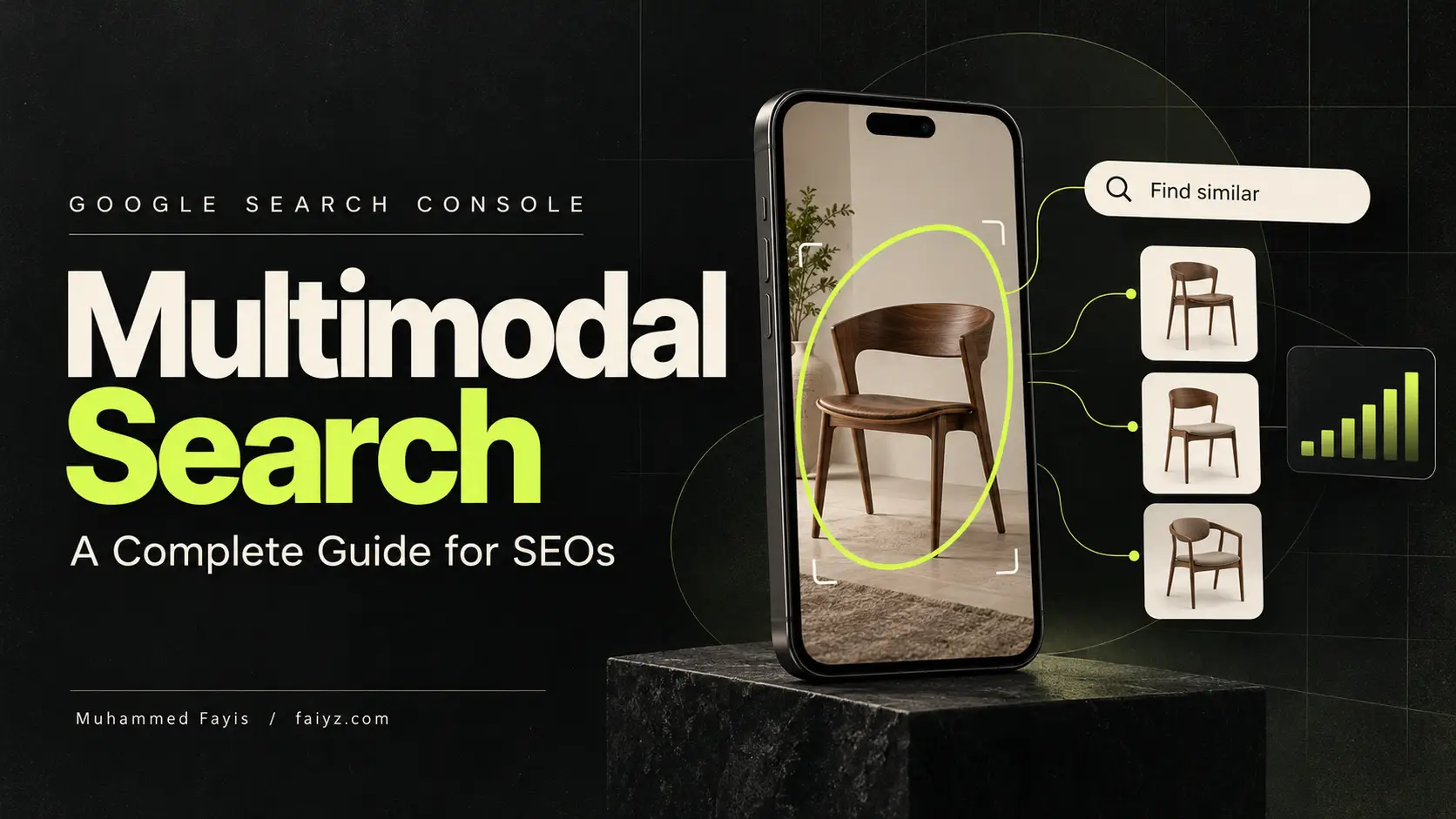
To track multimodal search in Google Search Console, open the Search results performance report and select “Web: multimodal” from the search type filter. This covers image-led searches through Google Lens, Circle to Search on Android, image uploads, and Chrome image search.
Review the pages attracting attention, focus on your target country, and use the findings to improve your images and landing pages. Keep this reporting separate from the Google Images search type.
Table of Contents
What Is Search Console Multimodal Search?
Someone sees a chair they like in a café. They don’t know the brand, the model, or what to call its curved wooden frame.
Typing a useful search takes work. Taking a photo takes seconds.
That is the opportunity behind visual search: people can show Google what they want instead of finding the right words first.
Google introduced web multimodal reporting in Search Console on September 24, 2026, with a global rollout. The update added reporting to both Search results performance and the Generative AI performance report.
For SEOs, the useful change is measurement. You can investigate whether image-led searches are bringing people to your website and decide which pages deserve more attention.
You still need to interpret the numbers. A new report does not tell you which photographs to commission or why a visitor left without buying.
How People Search With Images
The word “multimodal” sounds more complicated than the behaviour it describes.
A person starts with something they can see. They may then add words to explain what they want to know about it.
Google Lens: Search What You See
Google Lens lets people search using a camera or an existing image. They can also add a text question to give the image more context.
Imagine a shopper photographing a lamp and asking for something similar in black. The image describes the shape; the words describe the preference.
For a retailer, that suggests a practical question: does the website clearly show the products and variants someone might be trying to find?
Circle to Search: Start With What’s on Screen
On supported Android devices, Circle to Search lets users select something on their screen and search without switching apps. They can circle, highlight, scribble over, or tap the subject. Google’s Circle to Search instructions
A potential customer could notice a pendant light in a room photograph, select it, and begin researching similar products.
Your product name may never be part of their starting point. The appearance is enough to begin.
Multimodal Search vs Google Images
These reports answer different questions.
| Search type | What it measures |
|---|---|
| Web: text-based | Traffic originating from typed queries in Google’s standard search bar |
| Web: multimodal | Traffic originating from image-led search |
| Image | Traffic from results in the Google Images tab |
Google documents these as separate search types. An image appearing on a results page does not, by itself, make the search multimodal.
The distinction matters when reporting on image SEO.
If you improve product photography, review both relevant reports. Label each clearly rather than calling every image-related visit “Google Lens traffic.”
How to Use the Multimodal Search Report
I recommend starting with a small set of commercially useful pages. A manageable review is more likely to produce changes than an export containing every URL on the website.
1. Select the Multimodal Search Type
Open your verified property in GSC, go to Performance → Search results, and select Web: multimodal.
Review clicks, impressions, CTR, and average position where available. These are performance measures, not sales figures.
Write down the selected search type beside any figures you copy into a report. That small habit prevents misleading comparisons later.
2. Establish a Baseline
Use the reporting history available for your property.
Because multimodal reporting is new, check the earliest populated dates before choosing a comparison period. Don’t assume an empty earlier period means your visual SEO previously produced nothing.
My starting approach would be:
- Record the first complete period with useful data.
- Note major image or page changes.
- Compare against an equally long later period.
- Keep the same country and page filters.
For low-volume websites, monthly movement may be too small to explain confidently. Allow more time before deciding whether a change worked.
3. Look at Landing Pages
Open the Pages view and identify where clicks are concentrated.
Group those URLs by their purpose: products, categories, project galleries, guides, or service pages. Search Console supports page-level analysis, although performance is generally assigned to Google’s selected canonical URL.
Then ask what the visitor can do after arriving.
A photograph might help someone find a product, but the landing page still needs to explain its dimensions, availability, price, and delivery options.
Discovery gets the visit. The page has to earn the next action.
4. Focus on Your Market
For a business serving the UAE, examine performance from the United Arab Emirates. Use country and device filters to narrow the review.
Global exposure can distract from a local problem.
A furniture store may attract international interest in a popular design while offering delivery only within Dubai. That traffic needs different treatment from visits by customers inside its service area.
5. Export Findings With a Next Step
Google supports exporting multimodal performance data for analysis elsewhere.
Add a short action column to your worksheet.
“Product page gained clicks” is an observation. “Check mobile checkout and clarify delivery coverage” is work someone can complete.
What the Numbers Can—and Cannot—Tell You
The documented filter groups several visual-search entry points together. It should not be presented as a dedicated Lens-only or Circle-to-Search-only report.
It also does not give you the customer’s original photograph or a recording of their research journey.
That makes landing-page analysis particularly useful. You may not know exactly what someone photographed, but you can assess whether the destination meets a plausible need.
Don’t Judge Success From Percentages Alone
Suppose a page’s clicks increase from four to eight.
That is a 100% increase. It is also four additional clicks.
Both statements are correct, but only one makes the size of the opportunity obvious.
Report the actual counts beside percentage changes. A small dataset deserves a modest conclusion.
Keep the Two Performance Reports Separate
The Generative AI performance report also offers a multimodal search filter. That report measures impressions in supported generated search features, including AI Overviews and AI Mode; it does not provide the same metric set as the standard Search results report.
Use each report for the question it can answer. Don’t add their totals together as though they represent unrelated audiences.
Google Lens SEO: What to Improve First
There is little value in collecting visual-search data while leaving the same weak product images untouched.
I would prioritize the pages that already receive relevant attention, then investigate important products or services that are poorly represented.
Use Images That Help Someone Recognize the Subject
Show the actual item or work clearly.
For a product, that might mean a straightforward main photograph, another angle, and a close-up of a distinctive detail. For an interior design business, it could mean completed rooms and relevant materials rather than a generic office photograph.
This is a practical recommendation, not a promise about rankings. The test is whether the image helps a person recognize what they are looking for.
Make Images Discoverable and Understandable
Google recommends standard HTML image elements, accessible image URLs, descriptive alt text, and relevant surrounding content. CSS background images are not indexed as images.
It also recommends balancing sharp visuals with loading speed and using descriptive filenames.
For example, walnut-dining-chair-side-view.webp communicates more than IMG_4821.webp.
An appropriate description might be:
“Walnut dining chair with a curved back and beige upholstered seat.”
Describe what is actually there. Adding “best furniture shop Dubai UAE” to every image description makes the page less useful.
Give Product Information the Same Attention
For eligible ecommerce pages, Product structured data and Merchant Center feeds help Google understand product information. Google says these can support richer appearances in experiences including Lens, with details such as price and availability.
For UAE stores, check that AED prices, stock status, variants, and delivery information agree across the page and your product data.
A beautiful photograph does little for a shopper who cannot work out whether you sell the item they found.
A Practical Example for a UAE Business
Consider a hypothetical Dubai lighting store.
Its multimodal report shows growing attention to three pendant-light pages. The store reviews them and finds that one page has a clear main photograph but no dimensions or installation details.
The next job is specific: add measurements, show the fitting in context, clarify what is included, and explain delivery coverage.
After those changes, monitor search performance and business outcomes separately. Record when the edits happened, but avoid assuming every later increase came from those edits.
In GA4, review Google organic traffic and relevant key events. The Traffic acquisition report supports source/medium analysis and measures such as sessions, engagement, and key events.
Those figures provide business context. They do not automatically connect each purchase to a particular multimodal impression.
Frequently Asked Questions
Is Multimodal Search Only Relevant to Online Stores?
No. I would also investigate it for businesses whose work is easier to show than describe: interiors, landscaping, automotive services, hospitality, and similar fields.
Prioritize it according to the audience and evidence in your reports. Every business does not need the same investment in photography.
Does Alt Text Guarantee Google Lens Visibility?
No. Alt text provides context and accessibility support, but it is one part of Google’s understanding of an image. Google also uses the image itself and the page content.
What If My Report Shows Little or No Data?
Check your property, dates, and active filters first. Google’s announcement says sites will see metrics when they receive traffic from qualifying searches.
Low volume alone does not identify a technical fault. Review important image pages and establish a baseline before drawing conclusions.
Make Visual Search Part of Your SEO Decisions
Search Console multimodal search reporting gives you a useful place to start. It helps you identify pages worth investigating and puts evidence behind work that might otherwise be treated as a design preference.
Start with five important pages. Check their photographs, supporting information, mobile experience, and next step. Record the changes and review what happens over time.
The goal is to help someone move from “I want something like this” to finding the right product or business.